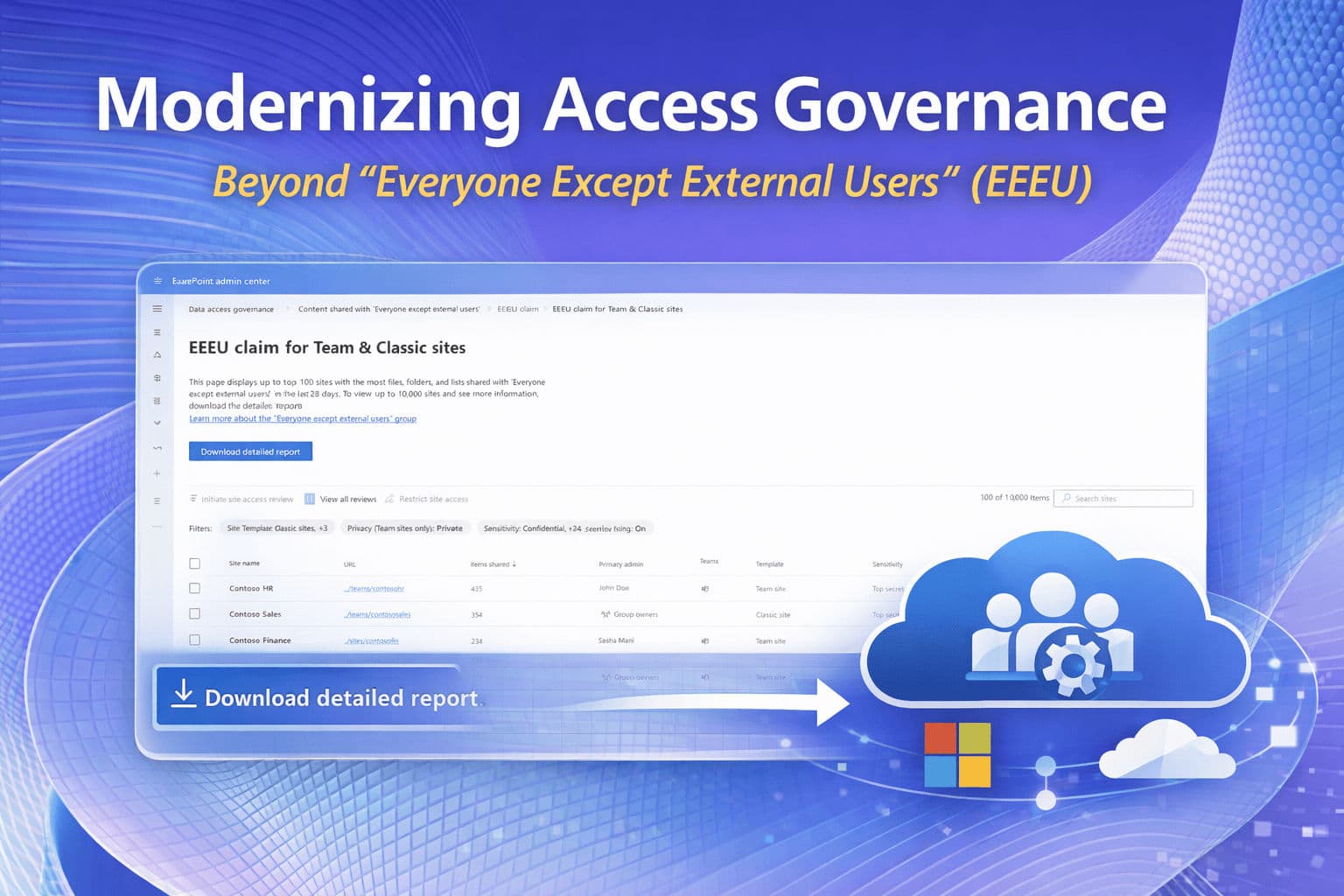
Modernizing Access Governance: Why It’s Time to Move Beyond "Everyone Except External Users" (EEEU)

For years, Everyone Except External Users (EEEU) has been one of the most widely used - and most misunderstood - identity constructs in Microsoft 365.
It appears simple, convenient, and universal. But as organizations mature their governance, adopt Zero Trust, and refine identity hygiene, EEEU increasingly becomes a source of confusion, oversharing, and operational friction.
After discussions at the Microsoft MVP Summit and real‑world cases shared in the Microsoft Tech Community, it’s clear that EEEU deserves a fresh look. Not because it’s "bad", but because it no longer aligns with the governance expectations of modern Microsoft 365 environments.
Let’s break down what EEEU really is, why hiding it doesn’t disable it, where Microsoft still uses it internally, and how to transition to a cleaner, more controlled model using Entra ID Dynamic Groups.
What EEEU Actually Is (and What It Isn’t)
The first misconception to clear up: "EEEU is not a SharePoint group. It is not a dynamic group. It is not a configurable identity."
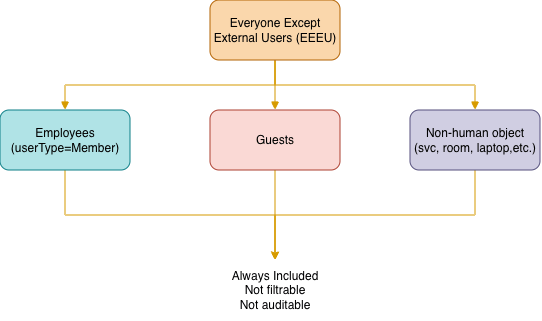
EEEU is a Microsoft 365 platform-level implicit claim — evaluated at the identity/token layer across services (SharePoint, Teams, Power Platform) — that is not managed as a discrete Entra ID object. At runtime, it resolves to:
- All internal users (
userType = Member) - Many non‑human identities (service accounts, room mailboxes, resource accounts)
- Both licensed and unlicensed cloud users
It is not:
- A governance boundary
- A least‑privilege construct
- A lifecycle‑managed identity
- A reliable representation of "employees only"
This is why so many admins are surprised when EEEU includes accounts they never intended to expose content to.
[info] Important
• B2B guests (userType = Guest) are excluded from EEEU by design — that's the whole point of "Except External Users"
• However, mis-provisioned accounts (guests promoted to Members, or accounts with incorrect userType) can end up included
Hiding EEEU Does Not Disable It
Many organizations run the following to reduce accidental use:
# Hides EEEU from SharePoint permission pickers and sharing dialogs
Set-SPOTenant -ShowEveryoneExceptExternalUsersClaim $false
SharePoint PowerShell cmdlet
# Prevents EEEU from being assigned on private M365 Group-connected sites
Set-PnPTenant -AllowEveryoneExceptExternalUsersClaimInPrivateSite $false
PnP PowerShell cmdlet
This is a good governance practice - but it only hides the claim from:
- SharePoint permission pickers
- Sharing dialogs
- Site owner UI
It does not:
- Remove the claim
- Disable the claim
- Prevent token issuance
- Stop developers from assigning it programmatically
- Prevent Microsoft 365 features from being used internally
This is the most important point for architects:
[info] Important
Hiding EEEU prevents accidental use - it does not eliminate the identity.
Why Microsoft Still Uses EEEU Internally
This is where the MVP Summit insights matter.
Microsoft continues to use EEEU internally because it provides:
- A tenant‑wide identity
- That is always present
- That does not depend on customer configuration
- That works even if dynamic groups are misconfigured or unlicensed
Examples include:
| Org‑wide Teams | Org‑wide Teams automatically include all internal users — powered by the same identity logic as EEEU. |
| Viva Engage / Viva Connections | Some experiences require a universal internal audience. |
| SharePoint system sites | Certain service‑level constructs rely on EEEU for baseline access. |
| Microsoft 365 apps requiring "all users" access | These apps cannot rely on customer‑managed groups. This is why EEEU will never fully disappear - but that doesn’t mean you should use it for governance. |
[note] Information
With the adoption of Copilot for Microsoft 365, EEEU-based oversharing is no longer a passive risk. Copilot surfaces content through semantic search and grounding - content that a user technically has access to (even via EEEU) can now be retrieved and summarized without that user ever having consciously navigated to it. EEEU-wide permissions become an immediate, active exposure vector.
Governance Risks of Using EEEU
Using EEEU in modern environments introduces several risks:
| Oversharing | EEEU includes identities you may not expect - including service accounts and resource mailboxes. |
| Licensing Side Effects | A real example from the TechCommunity: EEEU caused Teams Phone licensing evaluations for accounts that should never be licensed. |
| No Lifecycle Control | You cannot:
|
| Zero Trust Misalignment | EEEU is the opposite of least privilege. |
| No Auditing or Membership Visibility | You cannot see who is included — because it’s not a group. |
Real‑World Example: Teams Phone Licensing Noise
In my TechCommunity answer, I explained a case where EEEU unexpectedly included:
- Teams Phone resource accounts
- Admin accounts
- Non‑human identities
This triggered licensing evaluations and created confusion for administrators.
This is a perfect example of why EEEU is not suitable for controlled environments.
The Modern Approach: Replace EEEU with Dynamic Groups
The recommended governance pattern is that once you have hidden the EEEU claim, you can use the Dynamic Security Group instead
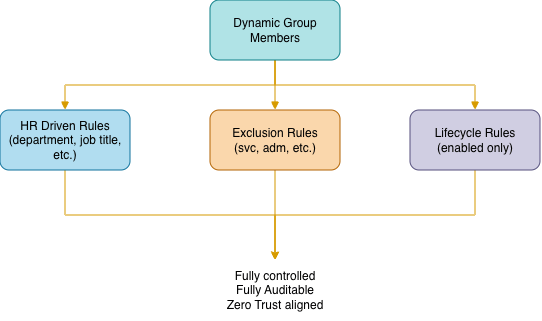
(user.accountEnabled -eq true) -and (user.userType -eq "Member")This gives you:
- Full control
- Full auditability
- Full lifecycle alignment
- Zero Trust compatibility
- Predictable behavior
You can refine the rule using:
- Department
- Company
- Custom attributes
- HR-driven attributes
- Exclusions for resource accounts
[success] Tip
Think about excluding service account as well as admins and any kind of account that is not "human".
Service accounts:-and -not (user.userPrincipalName -startsWith "svc.")
Admin accounts:-and -not (user.userPrincipalName -contains "-adm@")
Comparison Table: EEEU vs Dynamic Groups
| Capability | EEEU | Dynamic Group |
|---|---|---|
| Filterable membership | No | Yes |
| Exclude service accounts | No | Yes |
| Align with Zero Trust | Poor | Strong |
| Lifecycle control | None | Full |
| Visibility / audit | None | Full |
| Used by Microsoft internally | Yes | No |
| Recommended for governance | No | Yes |
| Graph API queryable | No | Yes |
Conclusion
EEEU is not going away — and it still plays an important role inside Microsoft 365. But for governance, security, and lifecycle management, it’s time to move beyond it.
EEEU served its purpose in a simpler era — but modern Microsoft 365 governance demands identities you can see, control, and audit. Dynamic groups give you exactly that - this is the modern, future‑proof approach to tenant‑wide access governance.
References:
- Monitor 'Everyone except external users' (EEEU) sharing with the EEEU activity report
- "Everyone except external users" group is removed on Microsoft 365 private group website
- The OneDrive EEEU Removal (MC1013464) — Completed by Sept 30, 2025
- SharePoint Visitor Permissions Group - Teams Phones License
Hoping this post will help you 🙂
You may also be interested in